
How to Create a Login Form in a Page
Home – Work with me – Blog – CoachLeads Tutorial – How to Create a Login Form in a Page
Step 1: Choose or Create a page to place your Login Form.
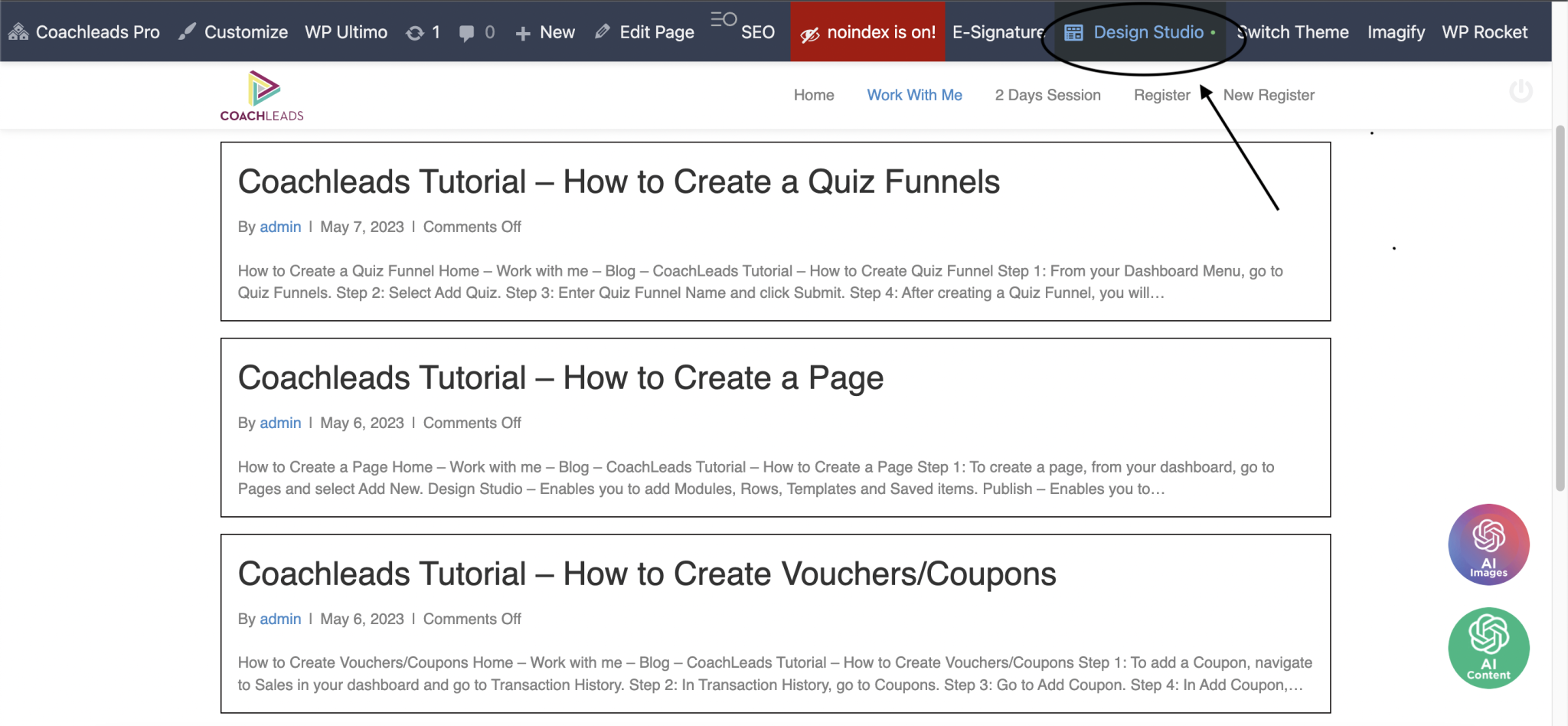
Step 2: To create your Login Form on the page, simply click on the Design Studio menu in the page’s upper-right corner.
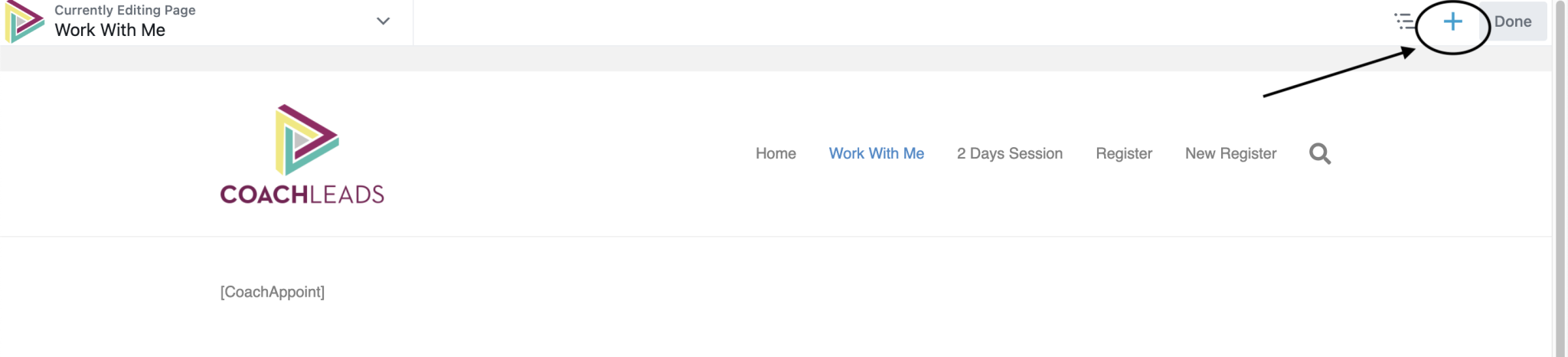
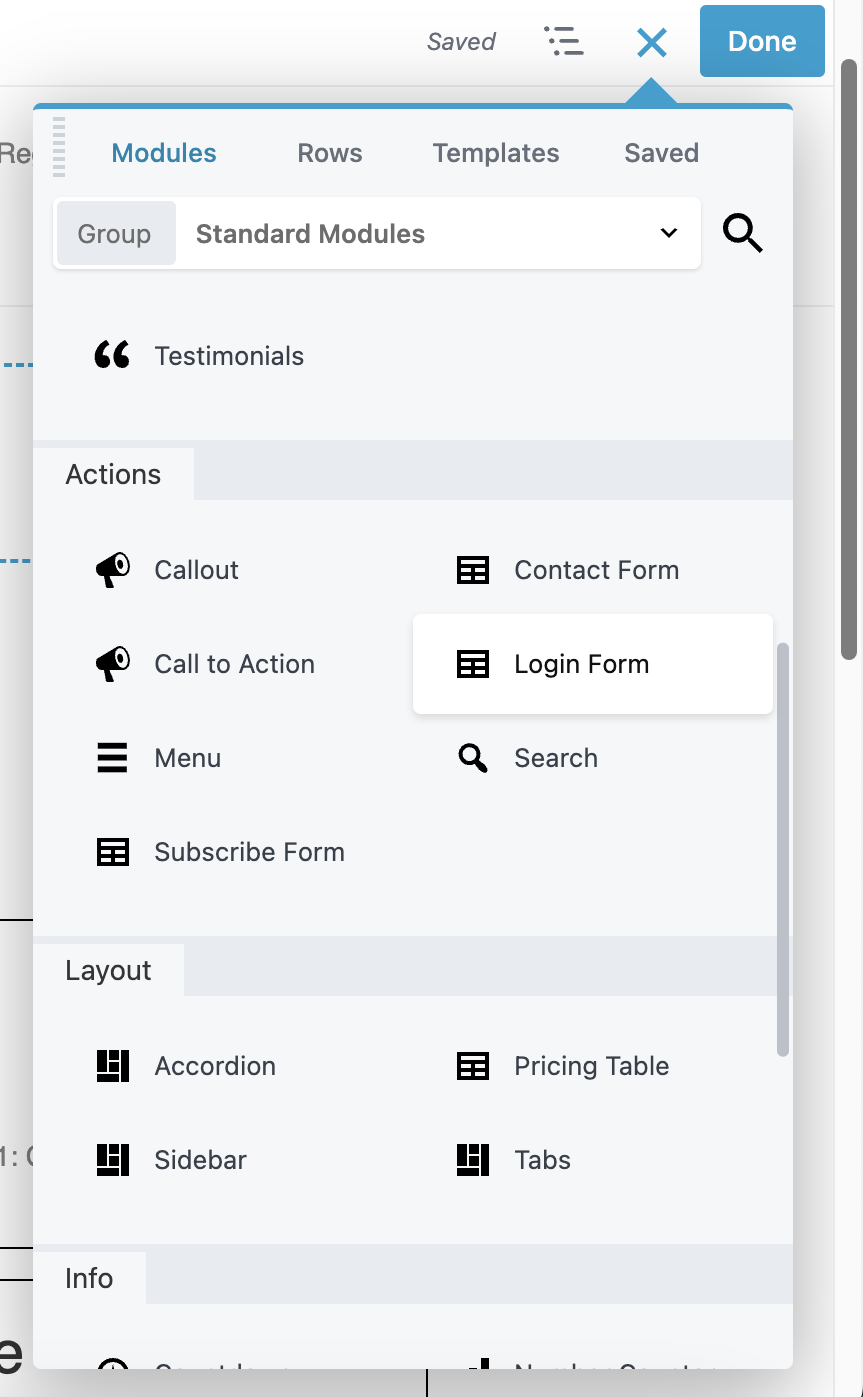
Step 3: After selecting the Design Studio menu, navigate to the upper portion of the screen and select the button with the Blue Cross symbol (+). After clicking, choose Login Form in the Modules tab’s Actions group.
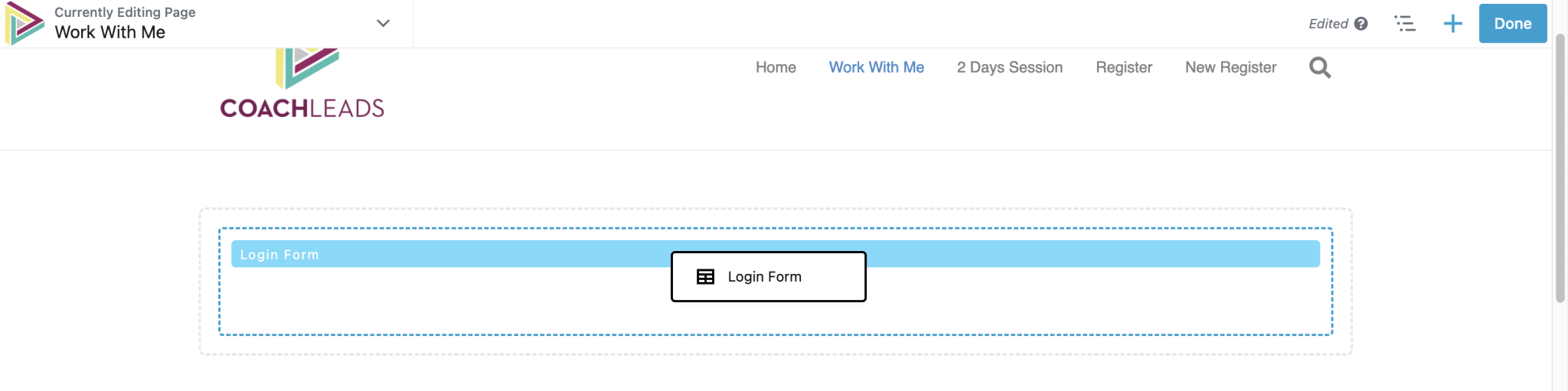
Step 4: Press and hold the mouse right click button on the Login Form virtual object and Drag it to the page location where that you want to place your Login Form. After locating the page location where you want to place your Login Form, simply release the mouse right click button to position the final location of your Login Form.
Recent Comments